What Are the Top Interactive Board Types in 2026?
Interactive Boards are becoming more diverse as schools, universities, and businesses demand clearer collaboration. The familiar whiteboard is no longer the only choice.
Futuresource Consulting’s research on interactive displays identifies large-format touchscreen panels as a major growth area. These panels combine annotation, video, wireless sharing, and cloud-based collaboration. They also reduce dependence on separate projectors and cables. That matters when a teacher changes rooms quickly.
Interactive flat panels will likely remain a leading type in 2026. They offer bright images, built-in speakers, multi-touch writing, and easier maintenance. Interactive projectors still deserve attention. They can modernize existing walls at a lower replacement cost, although lighting and calibration can become frustrating.
Portable interactive displays provide another practical option. They suit training rooms, temporary classrooms, and small offices. Rolling stands make movement easier. But unstable flooring can affect writing accuracy.
Interactive tables and collaborative touchscreens serve design studios, museums, and specialist learning spaces. Their value depends heavily on software. Hardware alone cannot create meaningful participation.
The OECD Digital Education Outlook 2023 stresses that technology works best when aligned with teaching practice, accessibility, and digital competence. UNESCO’s Global Education Monitoring Report 2023 also warns that technology should support learning goals, not replace sound instruction. These findings offer an important check against exaggerated product claims.
Market categories remain messy. Some reports group interactive panels, whiteboards, and collaboration displays together. Therefore, this guide compares types by usability, connectivity, durability, accessibility, and total ownership cost.
The “best” board is contextual.
A bright 86-inch panel may impress visitors. However, a smaller, reliable display could serve a crowded classroom better. This article examines the leading Interactive Boards types expected to shape purchasing decisions in 2026.
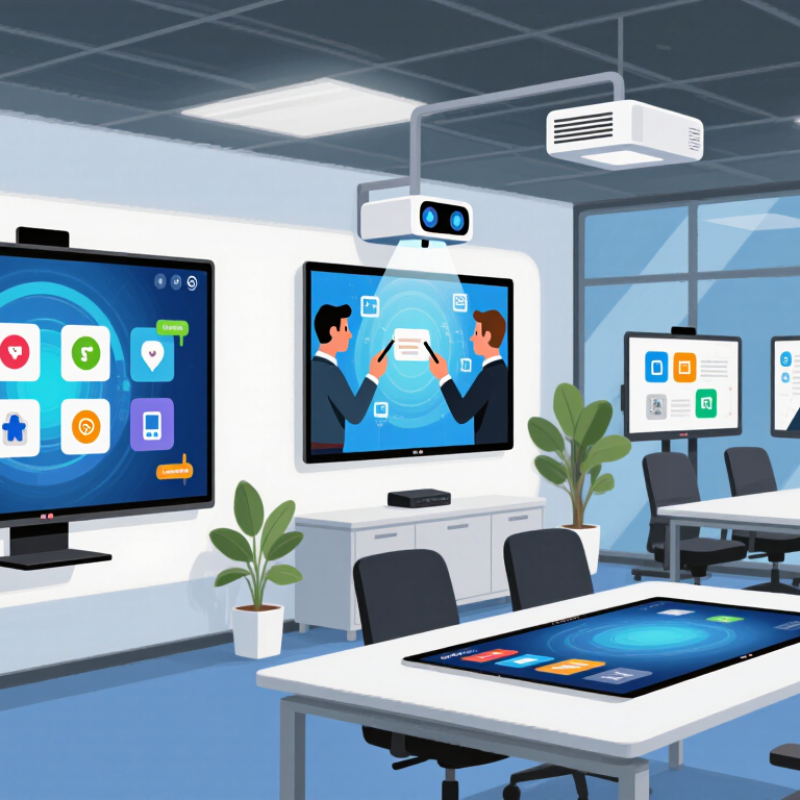
Interactive Board Definition and Core Functions in 2026
Interactive boards in 2026 are large digital surfaces that combine touch input, visual display, computing, and network access.
Their core purpose is not simply showing slides. They let users write, move, annotate, search, share, and save content in real time. Common types include interactive flat panels, projector-based boards, and mobile touch tables. Interactive flat panels now dominate many classrooms and meeting rooms because they offer brighter images and easier installation.
Market data supports continued adoption, but definitions vary. Fortune Business Insights estimates the global interactive whiteboard market will grow from about $4.71 billion in 2024 to $8.51 billion by 2032.
Grand View Research reports a similar growth direction, with a projected annual growth rate near 7.1% through 2030. These figures should be read carefully. Some studies include software and services, while others count hardware only.
In practical use, the strongest boards support multi-user writing, wireless casting, cloud file access, screen recording, and accessibility tools.
A teacher can circle a diagram, enlarge a cell, and invite students to edit the same canvas. A meeting team can compare three designs without changing rooms.
Security controls, pen accuracy, speaker quality, and update support also matter. A large screen is not automatically an effective board. This is where many evaluations become too optimistic.
Touch can still become a distraction without clear teaching or collaboration goals. Reliability deserves more attention than impressive specifications.
Main Technologies Used in Interactive Board Design
What Are the Top Interactive Board Types in 2026?
Interactive boards in 2026 combine several technologies rather than one dominant system. Most large classroom panels use LCD displays with LED backlighting for bright, consistent images. Some newer designs use mini-LED zones to improve contrast, although costs and heat remain practical concerns. Infrared touch frames detect interruptions in a light grid. They support fingers, gloves, and passive styluses. Capacitive layers feel faster and smoother, but they can struggle with moisture and thick gloves. Touch quality matters.
Optical bonding reduces the air gap between glass and display. This can reduce parallax, so writing appears closer to the pen tip. Anti-glare coatings help under ceiling lights, but they may soften fine text. Active pens add pressure sensitivity and palm rejection. Their performance depends on calibration, firmware, and battery condition. Wireless casting uses Wi-Fi protocols to mirror laptops, tablets, or document cameras. A built-in computer can run lessons locally when the network fails. That feature is useful. However, local storage creates security duties. Administrators should control permissions, update software, and protect student data.
Modern boards increasingly include microphones, cameras, and AI-assisted transcription. These tools can convert spoken explanations into searchable notes. Accuracy drops with side conversations, accents, or poor room acoustics. Human review remains necessary. Audio processing should be visible and optional. Field testing shows that brightness numbers alone do not predict usability. Viewing angle, speaker placement, cable access, and cleaning routines affect daily performance. Some specifications look impressive on paper. They may disappoint after months of fingerprints and rushed updates. Buyers should test writing latency, screen reflection, wake-up time, and recovery after a network outage.
Top Interactive Board Types and Their Key Features
In 2026, interactive boards are no longer one uniform product. Three types stand out in classrooms, training rooms, and collaborative offices. Interactive flat panels combine a touch display, speakers, cameras, and computing hardware. Their bright 4K screens remain readable beside windows. Multi-touch support lets several users write at once. Built-in annotation tools reduce setup time. Some panels include handwriting recognition and wireless screen sharing. These features help teachers move from diagrams to student responses quickly. Yet large displays can create glare, fingerprints, and tiring arm movement. I have found that screen size alone does not improve a lesson.
Interactive projector boards remain practical where budgets or existing wall spaces matter. A projector creates the image, while a sensor or special surface detects pen and finger input. They support wide teaching areas and familiar whiteboard workflows. However, shadows, lamp maintenance, calibration, and uneven lighting affect daily reliability. A small calibration error can shift a drawn line several centimeters. That detail is easy to underestimate. Portable or mobile interactive boards suit flexible rooms and smaller teams. Lockable wheels, height adjustment, battery operation, and USB-C connectivity improve deployment. Their compact design saves space, but smaller writing areas may limit group work.
LED all-in-one boards offer high brightness, narrow bezels, and long operating life. They work well in large rooms where viewing distance varies. Advanced models may add split-screen tools, voice pickup, and automatic framing. These extras matter only when microphones and software work together. Dependable updates, responsive touch, simple file export, and accessible controls often matter more. Procurement teams should test a real lesson, including weak Wi-Fi and accidental palm contact. Attractive demonstrations sometimes fail there.
What Are the Top Interactive Board Types in 2026?
Interactive boards are commonly differentiated by their touch-sensing technology. The chart compares typical simultaneous touch-point capability, while the key features below summarize the main strengths of each type.
Key features: Infrared boards provide large displays and strong multi-touch support; projected capacitive boards offer highly responsive, smartphone-like interaction; optical boards support large-format installations; electromagnetic boards provide precise pen input; and resistive boards are cost-effective for basic single-touch applications.
Comparing Interactive Boards by Use Case and Performance
What Are the Top Interactive Board Types in 2026?
Choosing an interactive board depends on the room, task, and expected workload. Large-format LCD touch panels suit classrooms and meeting rooms. They offer sharp 4K images, low maintenance, and useful multi-touch control. Interactive LED walls fit lecture halls and control rooms. Their brightness remains strong across wide viewing angles, but installation and repair costs are higher. Portable interactive boards serve training teams and temporary spaces. They trade screen size for mobility.
Performance data supports a careful comparison. MarketsandMarkets estimates that the interactive display market could grow from about USD 11.3 billion in 2024 to USD 17.5 billion by 2029. Growth alone does not prove better learning. UNESCO’s 2023 Global Education Monitoring Report stresses that technology should support teaching, not replace it. That warning matters when buyers compare glossy specifications with daily usability.
For hybrid meetings, prioritize microphone integration, annotation speed, and wireless sharing. For science rooms, choose strong glass, accurate touch tracking, and simple cleaning. For public venues, brightness and viewing distance matter more than writing latency. Independent classroom trials often reveal small delays, awkward menus, and weak speakers. Those details can disrupt a lesson.
Check accessibility too. Text-to-speech, height adjustment, and clear interface design support more learners. A reliable board should wake quickly, update securely, and keep working when internet access fails. The best type is not always the most advanced. It is the one staff can use confidently on an ordinary Tuesday.
Selection Criteria for Choosing an Interactive Board in 2026
Choosing an interactive board in 2026 requires more than comparing screen size. Classroom and meeting-room needs differ sharply. A 75-inch panel may suit a large room, but it can overwhelm a small training space. Check viewing distance, brightness, touch accuracy, and writing latency. According to MarketsandMarkets, the interactive display market may grow from about $11.5 billion in 2023 to $20.1 billion by 2028. That growth reflects wider adoption, not automatic product quality.
Compatibility should guide the decision. Test wireless casting, video conferencing, document sharing, and connection with existing laptops. A board with USB-C, HDMI, and reliable wireless support reduces daily friction. Security also matters. Review software update policies, user permissions, data storage, and privacy controls. The International Data Corporation repeatedly identifies security and manageability as major technology-buying priorities. However, specifications can mislead. A higher refresh rate feels useful, but poor calibration still makes handwriting uncomfortable.
Tips: Ask real users to write, drag objects, and share screens for ten minutes. Measure power consumption and expected service costs, not only the purchase price. Check accessibility features, including screen-reader support, adjustable text, and alternative input methods. An independent evaluation from Futuresource Consulting notes that deployment success depends heavily on support and usability. That is easy to underestimate. A perfect board on paper may fail when teachers lack training or replacement parts arrive slowly. Test the complete workflow before approval.